Home › Blog › Best Small Business Management Software
Best Small Business Management Software in 2026-2027: What to Look for in an All-in-One Platform
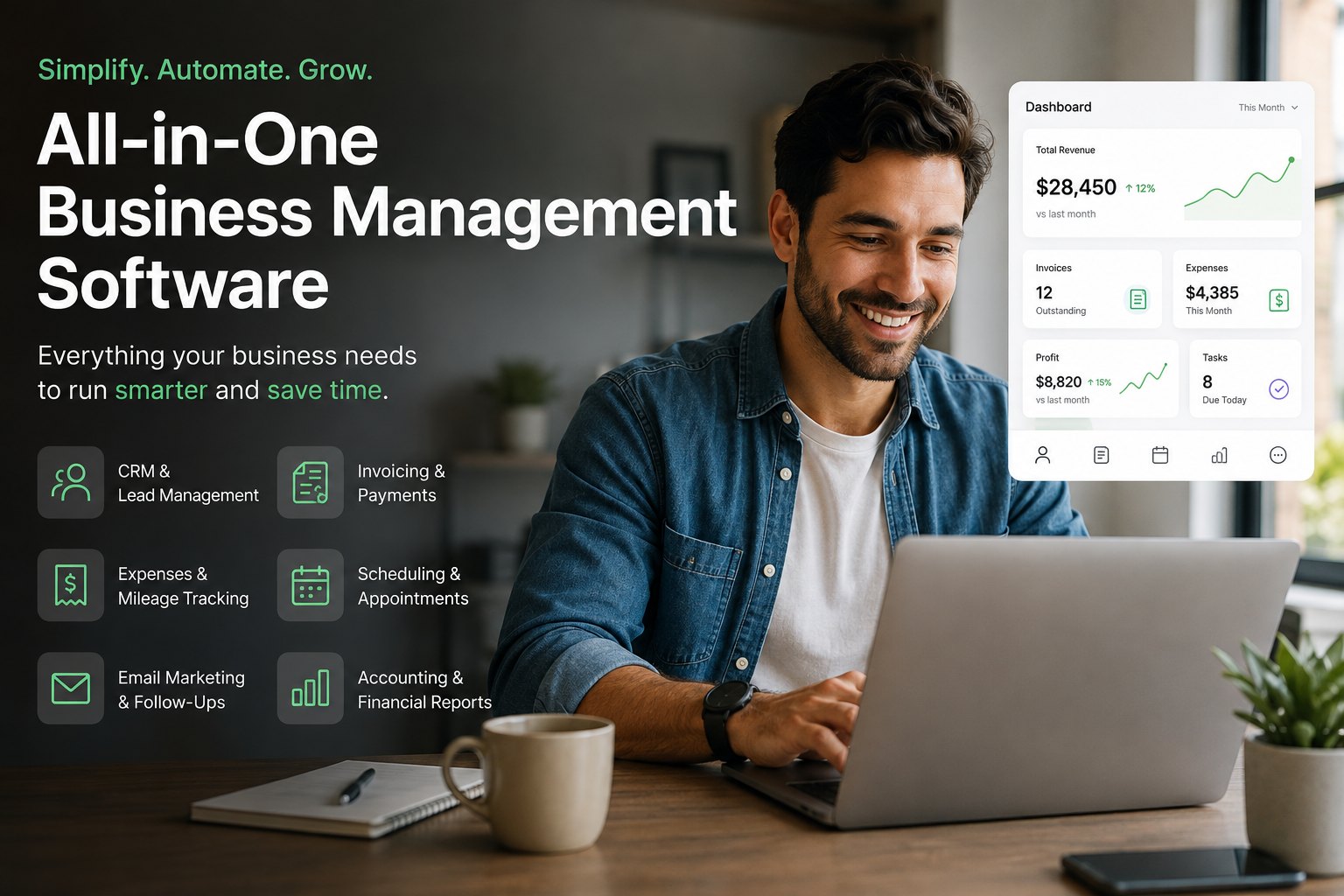
Running a small business shouldn't require seven different apps.
Yet for many small business owners, freelancers, contractors, and self-employed professionals, that's exactly what happens.
One tool manages customers. Another sends invoices. Another tracks expenses. Another handles bookkeeping. There's a separate calendar for appointments, another app for mileage, and yet another platform for email marketing.
Before long, the business owner isn't just running the business — they're managing the software that's supposed to make running the business easier.
That's why small business management software is changing.
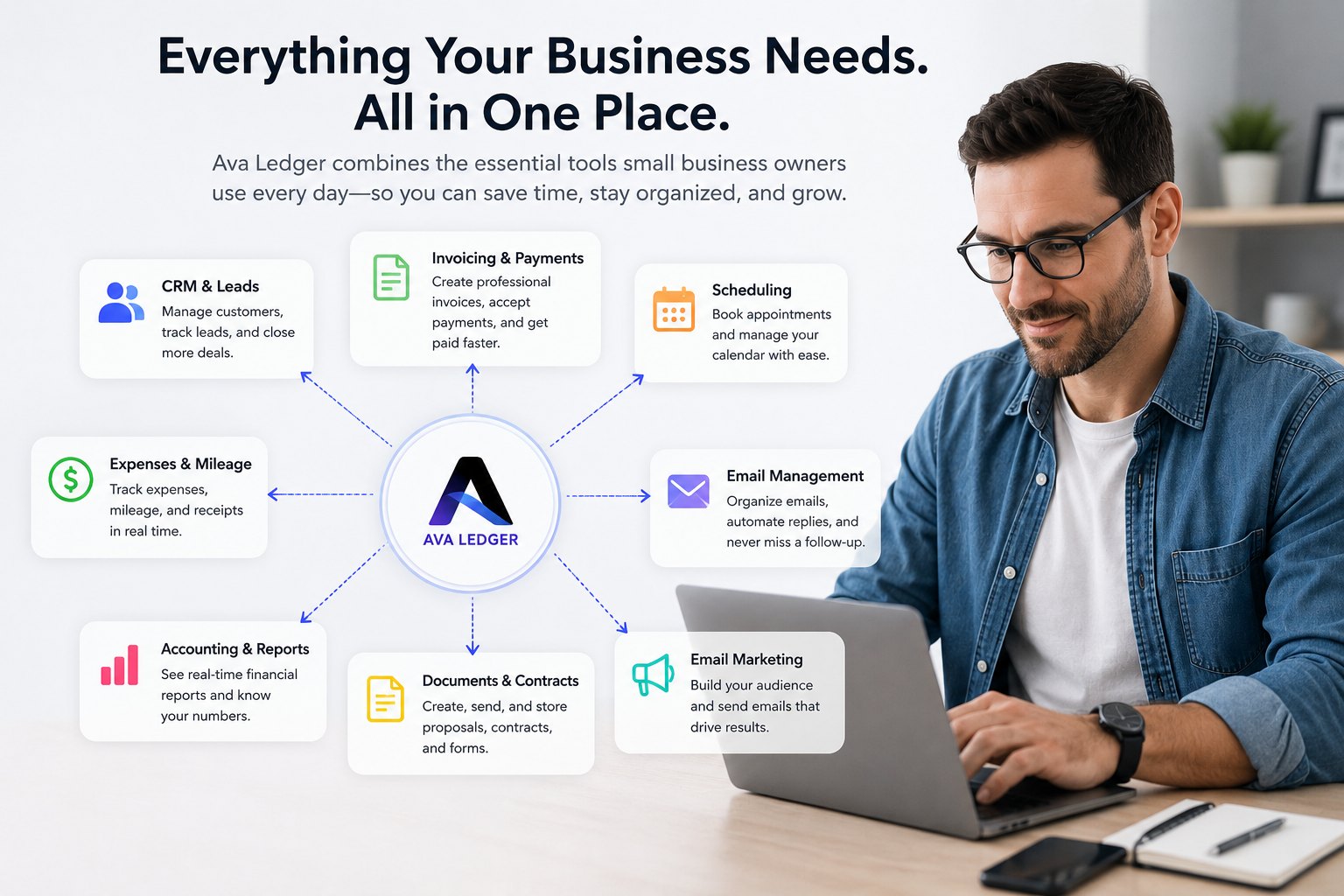
Instead of adding another disconnected tool to the stack, modern all-in-one business software brings the most important parts of running a business together: customers, leads, invoices, expenses, bookkeeping, scheduling, payments, email, documents, and automation.
But not every platform that calls itself "all-in-one" actually is.
Here's what small business owners should look for in 2026 — and why the right software can give you something more valuable than another dashboard: your time back.
What Is Small Business Management Software?
Small business management software is a platform designed to help business owners manage multiple parts of their operation from one place.
Depending on the platform, that can include:
- CRM and customer management
- Lead tracking
- Invoicing and estimates
- Expense tracking
- Bookkeeping and financial reporting
- Appointment scheduling
- Mileage tracking
- Email management
- Email marketing
- Proposals and contracts
- Payment collection
- Workflow and task automation
Traditionally, small businesses purchased separate applications for each function.
That approach works, but it creates another problem: fragmentation.
Customer information lives in the CRM. Payments live in the invoicing software. Expenses live in an accounting application. Conversations stay buried in email. Appointments sit on a separate calendar.
The owner becomes responsible for keeping everything synchronized.
The best small business management software attempts to eliminate that problem by creating one connected system.
Why Small Businesses Are Moving Toward All-in-One Business Software
A large company can have separate departments for sales, accounting, customer service, marketing, and administration.
A small business often has one person doing all five.
That makes disconnected software particularly painful.
Consider what happens when a new customer emails a contractor requesting an estimate.
With separate systems, the contractor may need to:
- Open the email.
- Respond to the customer.
- Manually create the customer in a CRM.
- Schedule an appointment.
- Create an estimate in another application.
- Turn the estimate into an invoice later.
- Check whether the invoice was paid.
- Enter the transaction into the books.
- Categorize expenses associated with the job.
- Follow up with the customer afterward.
Every individual task is small.
Together, they consume hours.
All-in-one business software is valuable when those actions become parts of one connected workflow instead of ten separate chores.
1. Look for a CRM That Doesn't Create More Data Entry
A CRM for small business should help you win customers, not give you another database to maintain.
Traditional CRM software often expects the business owner to manually create contacts, update opportunities, change lead stages, record conversations, and remember follow-ups.
For a salesperson sitting at a desk all day, that may be manageable.
For a contractor standing on a ladder, a cleaner moving between properties, a hairstylist with another client waiting, or a freelancer trying to finish a project, it isn't.
Modern customer management should connect with the places where customer conversations already happen.
For example, Ava Ledger can connect with business email and identify customer inquiries, organize leads, help draft replies, remind the owner about follow-ups, and track leads through the sales process.
The goal isn't simply having a CRM.
It's having a CRM that actually gets used.
2. Invoicing Software Should Do More Than Create a PDF
Creating an invoice is the easy part.
Getting paid is what matters.
Good invoicing software for small businesses should help owners create professional invoices and estimates quickly, track outstanding balances, accept online payments, and follow up when payments become overdue.
The invoicing system becomes considerably more useful when it's connected to the rest of the business.
If a customer accepts an estimate, the information shouldn't need to be entered again to create an invoice.
When that invoice gets paid, the financial side of the business should know about it.
When an invoice becomes overdue, the owner shouldn't need to discover it accidentally three weeks later.
This is where connected business management software has an advantage over a collection of independent apps.
3. Small Business Accounting Shouldn't Start at Tax Time
Many self-employed workers don't have a bookkeeping system.
They have a reconstruction system.
Receipts accumulate.
Transactions pile up.
Mileage gets forgotten.
Business and personal purchases become difficult to separate.
Then tax season arrives and months of financial activity have to be reconstructed from bank statements, emails, receipts, and memory.
Good small business accounting software and expense tracker apps should make recordkeeping an ongoing process instead of an annual emergency.
A connected system can import transactions, categorize business expenses, attach receipts, organize financial information, and produce reports throughout the year.
For self-employed workers and 1099 contractors, this is especially important because legitimate business expenses and mileage can affect taxable business income.
The objective isn't simply "doing bookkeeping."
It's being able to answer a much more useful question:
How is my business actually doing right now?
4. Software for Self-Employed Workers Needs to Be Different
A 50-person company and a one-person business don't operate the same way.
Their software shouldn't either.
Software for self-employed workers needs to recognize that the owner may simultaneously be the salesperson, technician, bookkeeper, customer-service representative, scheduler, and marketing department.
A freelancer may need to send proposals and invoices.
A contractor may need customer follow-ups, estimates, mileage, and expense tracking.
A gig worker may need to organize income and expenses from multiple sources.
A salon or service professional may care heavily about appointments and repeat customers.
The best platform isn't necessarily the one with the most features.
It's the one that removes the most administrative work from the owner's day.
5. Expense and Mileage Tracking Should Happen While You Work
Mileage is easy to forget because it doesn't feel like bookkeeping while you're driving.
The same applies to small expenses.
Parking.
Supplies.
Software subscriptions.
Tools.
Phone expenses.
Job-related purchases.
By the time tax season arrives, remembering every legitimate business expense can be difficult.
That's why an expense tracker for self-employed workers becomes much more useful when it's integrated into the broader financial system.
Ava Ledger, for example, combines expense organization with mileage tracking and financial reporting so the information isn't scattered across unrelated applications.
The principle is simple:
Capture financial information when it happens instead of trying to remember it months later.
6. Appointment Scheduling Should Connect to Customers
An appointment scheduling app can save time, but scheduling becomes much more powerful when it's connected to customer information.
An appointment shouldn't just be a block on a calendar.
It should connect to the customer, previous conversations, job details, and eventually the invoice or follow-up associated with the work.
This is another reason small businesses increasingly benefit from connected platforms instead of independent apps.
Each part of the business becomes context for the next.
7. Email Management May Be More Important Than the CRM
For many service businesses, the inbox is where sales actually happen.
A potential customer doesn't always fill out a perfectly structured CRM form.
They send an email:
"Hi, I found you online. How much would this cost?"
That message can be worth hundreds or thousands of dollars.
But it looks almost identical to every other email sitting in the inbox.
The best business software should help identify important customer conversations and make follow-up difficult to forget.
This is one of the reasons Ava Ledger was designed around the idea of an assistant rather than simply another collection of dashboards.
The system can help identify leads from connected email, organize them, draft responses, and surface conversations that require attention — see how email management works.
For a small business, faster follow-up can be more valuable than having a more complicated CRM.
8. Don't Forget Your Existing Customers
Small businesses frequently spend money acquiring new customers while doing very little with the customers they already have.
That's a missed opportunity.
A good email marketing platform allows a business to reconnect with previous customers, announce promotions, introduce new services, and encourage repeat business.
But once again, integration matters.
If customer information already exists inside the business management platform, owners shouldn't have to maintain another completely separate contact database just to send a campaign.
A connected system can turn customer management into customer retention.
9. Business Automation Should Still Leave the Owner in Control
Automation is useful.
Uncontrolled automation isn't.
Small business owners shouldn't have to choose between doing everything manually and allowing software to make every decision without them.
The better approach is adjustable automation.
Ava Ledger, for example, is designed so owners can determine how much assistance they want — from suggestions that require approval to more automated handling of routine work.
That's important because different business actions carry different levels of risk.
Drafting a routine follow-up is different from making a significant financial decision.
Good business workflow automation should understand that distinction.
What Makes Ava Ledger Different?
Most business software is built around a feature.
A CRM manages customers.
Invoicing software creates invoices.
Accounting software organizes finances.
Email marketing software sends campaigns.
Scheduling software manages appointments.
Ava Ledger takes a different approach.
It brings many of those functions together and adds an assistant — Ava — that can help operate them.
Instead of navigating through several applications to complete a workflow, the goal is to allow the business owner to communicate naturally.
You might tell Ava:
- "Send Mike an invoice for $500."
- "Who still owes me money?"
- "Schedule Sarah for Tuesday at 3."
- "Log 40 business miles."
- Or simply: "How is my business doing?"
The difference is important.
An all-in-one platform puts your tools in one place.
An intelligent business platform should also reduce how much time you spend operating those tools.
Want to see how these features work together? Read: What Is Ava Ledger? The All-In-One AI Business Platform That Runs Your Small Business For You.
Best Small Business Management Software: What Should You Choose?
There isn't one answer for every company.
Before choosing business management software, ask yourself:
- How many applications am I currently paying for?
- How many times am I entering the same customer information?
- How much time do I spend following up on leads?
- Are invoices going out immediately after work is completed?
- Do I know who owes me money without checking several places?
- Are my expenses organized throughout the year?
- Am I consistently tracking business mileage?
- Can I see whether my business is actually profitable?
- Am I marketing to previous customers?
- How much administrative work am I still doing after the actual workday ends?
That last question may be the most important.
Small business software should not simply digitize administrative work.
It should eliminate as much of that work as possible.
All-in-One Business Software vs. Multiple Separate Apps
There are situations where specialized applications make sense.
A larger company with dedicated accounting, sales, marketing, and operations teams may prefer specialized software for every department.
But the economics are different for small businesses.
When the same person is responsible for several departments, integration can be more valuable than specialization.
Instead of maintaining separate systems for CRM, invoicing, bookkeeping, expenses, mileage, scheduling, documents, and marketing, an all-in-one platform can create one source of business information.
That's particularly valuable for small business owners, freelancers, independent contractors, self-employed professionals, and 1099 workers.
The Future of Small Business Software Isn't More Software
For years, the answer to every business problem was another app.
Need invoices?
Add an app.
Need a CRM?
Add another.
Need bookkeeping?
Another subscription.
Need marketing?
Another login.
Need mileage tracking?
Another app on your phone.
Eventually, small business owners became responsible for managing an entire software department without actually having an IT department.
The next generation of small business management software should reverse that trend.
Fewer disconnected tools.
Less duplicate data entry.
Less time checking dashboards.
More automation.
More connected information.
And more time spent doing the work customers actually pay for.
That's the idea behind Ava Ledger.
One platform. One assistant. And considerably less administrative work following you home.
No credit card needed. Cancel anytime.
Frequently Asked Questions
What is the best small business management software?
The best small business management software depends on the type of business and the functions it needs. Small businesses should consider platforms that combine frequently used functions such as CRM, invoicing, expense tracking, bookkeeping, scheduling, customer communication, and reporting rather than evaluating features in isolation.
What is all-in-one business software?
All-in-one business software combines several business functions within one platform. This can include customer management, invoicing, accounting, expense tracking, scheduling, payments, documents, email marketing, and automation.
What software do self-employed workers need?
Many self-employed workers benefit from invoicing, expense tracking, mileage tracking, customer management, scheduling, bookkeeping, and financial reporting. Using an integrated platform can reduce duplicate data entry between separate applications.
Can one platform replace CRM and invoicing software?
Yes, some business management platforms combine CRM and invoicing. This allows customer information, estimates, invoices, payments, and follow-ups to remain connected rather than being maintained in separate systems.
Is Ava Ledger designed for 1099 contractors?
Ava Ledger is designed for small businesses, freelancers, self-employed professionals, independent contractors, and 1099 workers who need to manage customers, invoices, expenses, mileage, bookkeeping, scheduling, and other administrative work.
Does Ava Ledger include bookkeeping and expense tracking?
Yes. Ava Ledger includes tools for organizing transactions and expenses, financial reporting, receipt management, and other bookkeeping workflows alongside invoicing and customer management.
Is Ava Ledger an invoicing app or a CRM?
It's designed as a broader business management platform rather than only an invoicing app or CRM. CRM, invoicing, bookkeeping, expense management, mileage, scheduling, documents, email management, and marketing can work within the same system.