Home › Blog › All-in-One Small Business Management Software
All-in-One Small Business Management Software
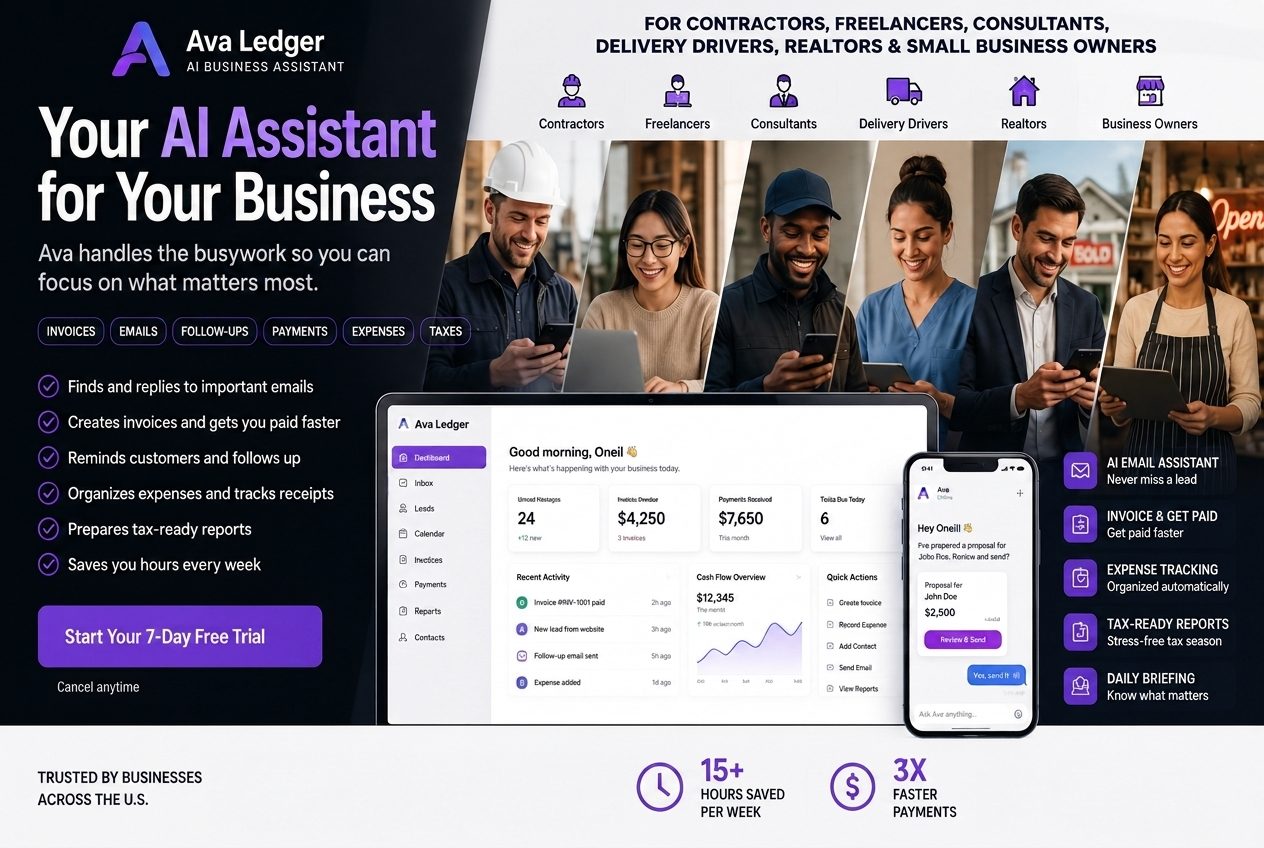
See how Ava Ledger helps small businesses manage invoices, customers, expenses and more →
CRM for Small Business Customer Management
A CRM for small business helps organize relationships with leads and customers.
CRM stands for customer relationship management.
Large corporations may use complicated CRM systems with hundreds of fields and advanced sales pipelines. Most small businesses do not need that level of complexity.
They need a clear place to store important customer information.
A practical CRM for small business should include:
- Customer names and contact details
- Lead information
- Email or communication history
- Notes
- Estimates and proposals
- Invoices
- Appointments
- Follow-up status
- Relevant documents
- Previous projects or services
Imagine a customer contacting a business several months after a completed project.
Without a CRM, the owner may need to search old emails, text messages, invoices and calendar entries to remember what happened.
With a connected customer record, the owner can quickly review the history of the relationship.
This creates a better customer experience and helps the business respond more professionally.
A Project Management Tool for Active Work
A project management tool helps business owners organize larger pieces of work from beginning to completion.
For a contractor, a project may be a renovation or installation. For a consultant, it may be a client engagement. For a marketing agency, it may be a campaign. For a freelancer, it may be a design, writing or development assignment.
A useful project management tool should help track:
- Project status
- Important dates
- Deadlines
- Customer information
- Required documents
- Team responsibilities
- Outstanding work
- Related appointments
- Completed steps
Projects become difficult to manage when information is scattered across email threads, text messages, calendars and handwritten notes.
A connected project-management system brings the most important details into one place.
The owner can see what is happening, what is complete and what still needs attention.
Task Management Software for Everyday Responsibilities
Project management and task management are related, but they serve different purposes.
A project represents a larger goal or body of work. Tasks are the smaller actions required to complete that project.
For example, a project may be a wallpaper installation for a customer.
The related tasks could include:
- Confirming wallpaper quantities
- Scheduling the installation
- Sending the proposal
- Preparing the invoice
- Following up with the customer
- Confirming final payment
Task management software helps business owners turn responsibilities into clear actions.
A strong task system should make it easy to:
- Create tasks
- Add due dates
- Set priorities
- Connect tasks to customers or projects
- Receive reminders
- Mark work as complete
- Review overdue responsibilities
The biggest benefit of task management software is not simply creating a to-do list.
It is reducing the mental pressure of trying to remember everything.
Business owners should not have to carry every deadline, follow-up and customer request in their heads.
An Appointment Scheduling App That Reduces Back-and-Forth
Appointment scheduling can become surprisingly time-consuming.
A potential customer asks whether Tuesday is available. The owner responds with a time. The customer requests another time. The owner checks the calendar again. Several messages later, the appointment is finally confirmed.
An appointment scheduling app helps simplify that process.
Depending on the business, scheduling software may help manage:
- Consultations
- Estimates
- Service appointments
- Client meetings
- Property showings
- Follow-up calls
- Recurring appointments
- Project dates
A scheduling system becomes more valuable when it is connected to customer information.
Instead of seeing only an appointment title, the business owner can see who the customer is, why the appointment was scheduled and what previous communication or documents are connected to that person.
This reduces confusion and helps the business appear more organized.
Document Workflow Automation for Proposals, Estimates and Contracts
Small businesses create many of the same documents repeatedly.
These may include:
- Proposals
- Estimates
- Invoices
- Contracts
- Service agreements
- Project summaries
- Customer letters
- Financial reports
Without document workflow automation, the owner may need to open an old file, replace the customer's name, update the pricing, change the date, export the document and attach it to an email.
That process may be repeated several times every day.
Document workflow automation reduces repetitive work by connecting customer information with the documents a business regularly creates.
A more efficient document process may look like this:
- Select the customer.
- Choose the type of document.
- Add the service and pricing information.
- Review the document.
- Export, share or email it.
- Save it to the customer's record.
- Continue to the next step, such as scheduling or invoicing.
This can save time while helping the business maintain more consistent documents.
Automation should not remove the owner's ability to review important information. Contracts, proposals and financial documents should still be checked before they are sent.
An Email Marketing Platform Connected to Customer Information
Email marketing helps small businesses stay connected with customers, promote services and encourage repeat business.
However, email marketing becomes harder when the contact list exists in a completely separate platform.
The business owner may need to export customer information, clean the list, upload it somewhere else and manually organize contacts into groups.
An email marketing platform becomes more useful when customer information is already part of the business-management system.
The platform may help organize contacts based on:
- Customer type
- Services purchased
- Location
- Lead status
- Previous projects
- Interests
- Customer tags
- Business category
This can make campaigns more relevant.
For example, a contractor may send a seasonal service reminder to previous customers. A spa may promote a new treatment. A consultant may share an educational newsletter. A realtor may send information to potential buyers or sellers.
Businesses should only send promotional emails to people they are legally permitted to contact and should provide a clear way for recipients to unsubscribe.
A connected email marketing platform should make customer communication easier without encouraging spam.
How All These Tools Work Together
The biggest benefit of an all-in-one platform is not simply having many features.
The real benefit is the way the features connect.
Consider a contractor who receives a new customer inquiry.
Step 1: The lead enters the business
A potential customer sends an email asking for an estimate.
The customer's information can be added to the CRM for small business customer management.
Step 2: The appointment is scheduled
The business owner uses the appointment scheduling app to arrange a consultation or site visit.
The appointment is connected to the customer's record.
Step 3: A proposal or estimate is created
Using document workflow automation, the owner prepares a professional estimate containing the customer's information, project details and price.
Step 4: The work becomes a project
Once the customer accepts, the project management tool can be used to organize the job, important dates and required documents.
Step 5: Tasks are created
Task management software helps the owner remember the next actions, such as ordering materials, confirming the project date or sending a deposit request.
Step 6: The invoice is sent
The invoicing software uses the existing customer and project information to create the invoice.
The billing software helps track the outstanding balance.
Step 7: Expenses are recorded
The expense tracker app stores receipts and business purchases connected to the work.
Step 8: Financial information is updated
The small business accounting area reflects the income and expenses associated with the business.
Step 9: The relationship continues
The customer remains inside the CRM and may later receive an appropriate follow-up or marketing message through the email marketing platform.
This connected workflow eliminates much of the repeated data entry that happens when businesses use separate applications.
Separate Software Versus an All-in-One Platform
Using separate applications can work, especially for businesses with highly specialized requirements.
However, small businesses should understand the trade-offs.
| Separate software approach | All-in-one approach | |
|---|---|---|
| Invoicing | Customer details entered manually | Existing customer information can be reused |
| Billing | Balances reviewed in a separate system | Billing information stays connected to the customer |
| Expenses | Receipts stored in another application | Expenses remain connected to financial reporting |
| CRM | Customer history is isolated | Messages, invoices and documents remain together |
| Projects | Project information is maintained separately | Projects connect to customers, tasks and appointments |
| Scheduling | Calendar contains limited context | Appointments connect to customer records |
| Documents | The same information is entered repeatedly | Customer details can flow into new documents |
| Tasks | Follow-ups must be created manually | Tasks can be connected to business activity |
| Marketing | Contacts are exported and uploaded | Customer information is already available |
An all-in-one platform is not automatically the right choice for every business.
The software still needs to be secure, reliable and easy to understand. It must also provide the features the business actually needs.
A complicated platform with dozens of unused features can be just as frustrating as using too many separate applications.
The right solution should simplify the business.
Who Can Benefit From All-in-One Small Business Software?
Different businesses use the same core tools in different ways.
Contractors and Home-Service Businesses
Contractors often need to manage:
- Customer inquiries
- Site visits
- Estimates
- Proposals
- Project dates
- Material expenses
- Invoices
- Follow-ups
A connected system helps keep each job organized from the initial inquiry through final payment.
Freelancers and Consultants
Freelancers and consultants may need:
- Client proposals
- Contracts
- Project deadlines
- Invoices
- Expense records
- Follow-up emails
- Customer notes
An AI business assistant can reduce the amount of time spent on administration between client assignments.
Spas and Appointment-Based Businesses
Appointment-based businesses need to manage:
- Customer records
- Booking information
- Follow-ups
- Service history
- Marketing communication
- Expenses
- Payment documentation
Connecting scheduling with customer management can create a smoother experience for both the business and the customer.
Realtors and Property Professionals
Real estate professionals manage:
- Leads
- Appointments
- Property information
- Documents
- Follow-ups
- Marketing contacts
- Customer relationships
A connected CRM, document system and appointment calendar can help prevent opportunities from being missed.
Gig Workers and 1099 Contractors
Gig workers and independent contractors may not need a complicated enterprise system, but they still need a reliable way to organize:
- Income
- Expenses
- Receipts
- Customer information
- Tax records
- Financial summaries
An expense tracker app and small business accounting system can help them maintain cleaner records throughout the year.
How to Choose the Right Small Business Software
Before selecting a platform, business owners should evaluate how the software fits their actual workflow.
Start With the Work That Consumes the Most Time
Do not begin by comparing the number of features each platform offers.
Begin by identifying the biggest problem.
Is the business spending too much time creating invoices? Are customer follow-ups being missed? Are receipts disorganized? Is appointment scheduling creating too much back-and-forth?
The best software should solve the work that is currently creating the most stress.
Make Sure the Tools Actually Connect
Some platforms advertise themselves as all-in-one because they place several tools inside the same account.
That does not necessarily mean the tools work together.
Ask whether:
- Customer information flows into invoices
- Appointments connect to customer records
- Documents connect to projects
- Expenses appear in financial reporting
- Tasks connect to customers and deadlines
- Marketing contacts can be organized without repeated exporting
A collection of disconnected features is not a truly integrated system.
Choose Software That Is Easy to Learn
A small business platform should not require weeks of training.
The owner should be able to understand where important information is stored and how common actions are completed.
Complicated software may contain more features, but those features have little value if the business does not use them.
Review Security and Access Controls
Business software may contain sensitive customer, financial and operational information.
Before choosing a platform, review:
- How data is protected
- Whether each user's information is separated
- What employees can access
- Whether accountants can receive limited access
- Whether documents can be exported
- Whether account permissions can be controlled
Security should not be treated as an afterthought.
Compare the Complete Cost
The subscription price is only one part of the cost.
Business owners should also consider:
- Add-on fees
- Additional user charges
- Payment-processing fees
- Time spent learning different systems
- Time spent entering information repeatedly
- The cost of missed invoices
- The cost of forgotten follow-ups
- The cost of paying for several separate platforms
A lower-priced application may become expensive when the business still needs three or four additional tools.
How Ava Ledger Helps Bring Business Management Together
Ava Ledger is an AI business assistant designed to help small-business owners manage financial, customer and administrative work from one platform.
It was built around a simple problem: business owners should not have to complete hours of administrative work after the actual workday is over.
Ava Ledger brings together important business functions such as:
- Invoicing
- Estimates and proposals
- Expense organization
- Customer management
- Appointment scheduling
- Tasks
- Business documents
- Email workflows
- Financial summaries
Instead of moving between several disconnected systems, business owners can manage more of their daily operations in one place.
Manage Customers and Conversations
Ava Ledger helps businesses organize customer information, communication history, notes and relevant documents.
This gives the owner a clearer picture of each customer relationship.
Create Invoices, Estimates and Documents
Business owners can create professional invoices, estimates, proposals and other documents using information already connected to the customer.
This reduces repetitive entry and keeps documents easier to locate.
Organize Income, Expenses and Receipts
Ava Ledger helps business owners review financial activity, organize expenses, track receipts and prepare clearer records for bookkeeping and accounting.
Schedule Appointments and Manage Tasks
Appointments, reminders and tasks can be organized alongside customer and business information.
This helps owners understand what is coming next and what still needs attention.
Prepare Marketing Emails
Businesses can organize contacts, create marketing messages and manage customer communication without maintaining a completely separate customer database.
Use Ava to Simplify Everyday Work
Ava is designed to help business owners complete common administrative actions with less friction.
The goal is not to add more technology to the workday.
The goal is to make the workday easier.
Frequently Asked Questions
What Is the Best Invoicing Software for a Small Business?
The best invoicing software depends on the needs of the business.
A freelancer may only need simple invoice creation and payment tracking. A contractor may need estimates, customer records, project information and expense tracking. A growing service business may need invoicing connected to a CRM, scheduling and accounting.
Look for software that is easy to use, creates professional documents and connects to the rest of the business workflow.
What Is the Difference Between Invoicing Software and Billing Software?
Invoicing software is primarily used to create and send requests for payment.
Billing software may cover the broader process of calculating charges, tracking balances, recording payments and reviewing outstanding amounts.
Many small business platforms combine both functions.
Can an Expense Tracker App Help With Small Business Accounting?
Yes.
An expense tracker app can help business owners record purchases, attach receipts and categorize spending.
This creates more organized information for bookkeeping and accounting. However, expense-tracking software does not replace personalized tax or accounting advice.
Why Does a Small Business Need a CRM?
A CRM helps the business keep customer information, notes, communication history, documents and follow-up activity organized.
Without a CRM, customer information may become scattered across emails, text messages, spreadsheets and paper notes.
What Is Document Workflow Automation?
Document workflow automation is the process of simplifying how business documents are created, reviewed, sent and stored.
For example, customer information may be used to create a proposal, which can later support the creation of an invoice without entering all the details again.
What Is the Difference Between a Project Management Tool and Task Management Software?
A project management tool organizes larger bodies of work.
Task management software organizes the individual actions needed to complete that work.
For example, renovating a customer's office may be the project. Scheduling the crew, ordering materials and sending the invoice are individual tasks.
Can an AI Business Assistant Manage Appointments and Projects?
An AI business assistant can help organize appointments, projects, customer information, documents and tasks, depending on the capabilities of the platform.
Business owners should review the specific features offered and confirm that they match the way the business operates.
Can One Platform Replace All My Separate Business Applications?
It depends on the complexity of the business.
Many small businesses can reduce the number of applications they use by choosing a connected platform. Businesses with highly specialized accounting, inventory, project-management or industry requirements may still need additional software.
The right objective is not necessarily to eliminate every other application.
The objective is to remove unnecessary duplication and make the business easier to manage.
Run Your Business Without Letting It Run Your Life
You did not start a business to spend every evening switching between software platforms.
You did not start a business to spend hours searching for receipts, copying customer information, chasing invoices and trying to remember every follow-up.
The work required to manage a business will never disappear completely.
But it can become more organized, more connected and far less overwhelming.
An all-in-one small business management platform can bring invoicing software, billing software, small business accounting, expense tracking, customer management, scheduling, projects, documents, tasks and marketing into one connected workflow.
An AI business assistant can make those workflows easier to manage.
Business does not have to feel this hard.
Let Ava Ledger help handle the work that keeps following you home.
Start Your 7-Day Free TrialFull Ava $25/month — promotion, limited time. 7 days free, no card. Cancel anytime. No credit card needed.